
 by
by GitHub · LinkedIn · About · YouTube
Last updated by Kindson Munonye — July 1, 2026
📚 Tutorial hubs:
AI Developer Tutorials ·
Spring Boot ·
Angular ·
CRUD + REST guide
Source code: munonye-ai-chat-spring-angular on GitHub
Estimated reading time: 12–15 minutes · Last updated: July 1, 2026
Model Context Protocol (MCP) is how IDE agents discover tools. Spring AI is how you ship AI in production APIs. The Spring AI MCP bridge lets one tool server serve both — no duplicate integrations.
This hands-on guide is part of the AI Developer Tutorials hub. Time: ~45 minutes. Prerequisites: Spring AI first REST endpoint (M7-A), OpenAI API key, Node.js (for the sample MCP server).
Table of contents

Why bridge MCP and Spring AI? {#why-bridge}
| Approach | Where tools run | Best for |
|---|---|---|
| @Tool (M13, M14) | Inside Spring Boot JVM | CRUD agents tied to your services |
| MCP server (M9-A) | Separate process / remote host | Shared tools for Cursor + APIs |
| Spring AI MCP bridge | Spring Boot orchestrates MCP clients | Production agents using ecosystem tools |
Related reading: Add AI to Angular CRUD app (M14) for in-process @Tool on an existing app · Function calling from Angular (M8-B) for structured tool UX.

Architecture {#architecture}
┌─────────────────┐     stdio/SSE      ┌──────────────────────┐
│  MCP tool server │ ◄──────────────► │  Spring Boot app      │
│  (Node, Java, …) │                    │  spring-ai-starter-   │
└─────────────────┘                    │  mcp-client           │
                                       │         │             │
                                       │         ▼             │
                                       │  ChatClient + OpenAI  │
                                       │         │             │
                                       │         ▼             │
                                       │  POST /api/agent      │
                                       └──────────────────────┘
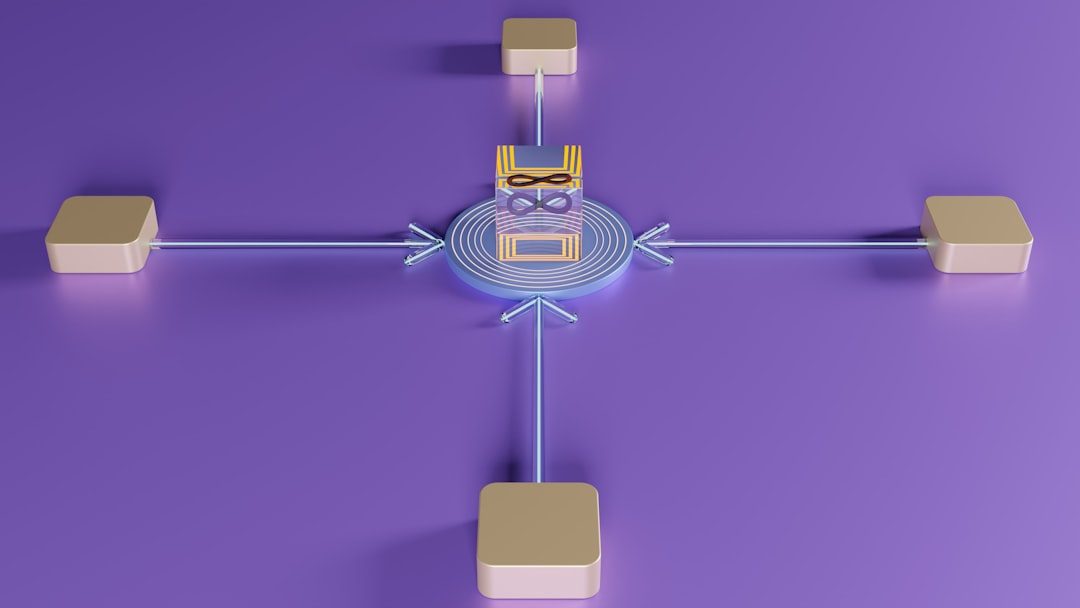
Spring AI auto-registers MCP tools as a ToolCallbackProvider. Your ChatClient uses them like @Tool methods — the LLM sees unified tool definitions.
Step 1 — Dependencies {#step-1-deps}
Create a Spring Boot 3.4+ app (or extend munonye-ai-chat-spring-angular):
<dependencyManagement>
  <dependencies>
    <dependency>
      <groupId>org.springframework.ai</groupId>
      <artifactId>spring-ai-bom</artifactId>
      <version>1.0.0</version>
      <type>pom</type>
      <scope>import</scope>
    </dependency>
  </dependencies>
</dependencyManagement>

<dependencies>
  <dependency>
    <groupId>org.springframework.ai</groupId>
    <artifactId>spring-ai-starter-mcp-client</artifactId>
  </dependency>
  <dependency>
    <groupId>org.springframework.ai</groupId>
    <artifactId>spring-ai-starter-model-openai</artifactId>
  </dependency>
</dependencies>
For remote MCP servers in production, prefer spring-ai-starter-mcp-client-webflux (SSE / Streamable-HTTP).
Step 2 — Configure MCP client {#step-2-config}
Connect to a local stdio MCP server. We use the official filesystem server as a safe demo — it lists and reads files in allowed directories only.
src/main/resources/application.yml:
spring:
  ai:
    openai:
      api-key: ${OPENAI_API_KEY}
      chat:
        options:
          model: gpt-4o-mini
    mcp:
      client:
        enabled: true
        type: SYNC
        toolcallback:
          enabled: true
        stdio:
          connections:
            filesystem:
              command: npx
              args:
                - "-y"
                - "@modelcontextprotocol/server-filesystem"
                - /tmp/mcp-demo
Create the demo folder and add a sample file:
mkdir -p /tmp/mcp-demo
echo "Hello from MCP filesystem tool" > /tmp/mcp-demo/readme.txt
cmd.exe /c npx ... — see Spring AI MCP docs for STDIO on Windows. Restrict filesystem paths to non-sensitive directories.Alternative — SSE remote server (after you deploy an MCP server):
spring:
  ai:
    mcp:
      client:
        sse:
          connections:
            my-tools:
              url: http://localhost:8081
See MCP for developers (M9-A) for building your own server.
Step 3 — ChatClient + ToolCallbackProvider {#step-3-chatclient}
When spring.ai.mcp.client.toolcallback.enabled=true (default), Spring injects MCP tools automatically:
@Configuration
public class McpAgentConfig {

  @Bean
  ChatClient mcpAgent(
      ChatClient.Builder builder,
      ToolCallbackProvider mcpToolCallbackProvider) {

    return builder
        .defaultSystem("""
            You are a helpful assistant with filesystem tools via MCP.
            Use tools for factual file operations. Summarize results clearly.
            Never guess file contents — always read via tools.
            """)
        .defaultToolCallbacks(mcpToolCallbackProvider)
        .build();
  }
}
Compare with in-process tools from Spring AI agents (M13):
// M13 pattern — JVM @Tool
.defaultTools(friendTools)

// M15 pattern — external MCP tools
.defaultToolCallbacks(mcpToolCallbackProvider)
You can combine both: pass @Tool beans and MCP callbacks if your agent needs local CRUD plus external services.
Step 4 — REST endpoint {#step-4-api}
@RestController
@RequestMapping("/api/agent")
public class McpAgentController {

  private final ChatClient agent;

  public McpAgentController(ChatClient mcpAgent) {
    this.agent = mcpAgent;
  }

  @PostMapping
  public AgentResponse ask(@RequestBody AgentRequest req) {
    String answer = agent.prompt().user(req.message()).call().content();
    return new AgentResponse(answer);
  }

  public record AgentRequest(String message) {}
  public record AgentResponse(String answer) {}
}
Secure this endpoint before production — JWT + rate limits (M11-A).
Step 5 — Test {#step-5-test}
export OPENAI_API_KEY=sk-...
./mvnw spring-boot:run
curl -s -X POST http://localhost:8080/api/agent \
  -H "Content-Type: application/json" \
  -d '{"message":"List files in the allowed directory and summarize readme.txt"}' | jq
Expected flow: LLM → MCP list_directory / read_file → natural language summary.
mcpServers JSON now powers your Spring Boot agent.Troubleshooting
| Issue | Fix |
|---|---|
| MCP server fails to start | Check npx on PATH; verify allowed directory exists |
| No tools visible to LLM | Confirm toolcallback.enabled=true |
| Duplicate tool names | Use default McpToolNamePrefixGenerator or filter tools |
| Timeout on slow tools | Increase spring.ai.mcp.client.request-timeout |
Bonus — Expose Java tools as MCP server {#reverse-bridge}
The bridge works both ways. Expose your Spring @Tool methods as an MCP server so Cursor can call your domain logic:
<dependency>
  <groupId>org.springframework.ai</groupId>
  <artifactId>spring-ai-starter-mcp-server-webmvc</artifactId>
</dependency>
Register tools with MCP annotations (Spring AI 1.0+):
@Component
public class OrderMcpTools {

  @McpTool(description = "Look up order status by order id")
  public String getOrderStatus(long orderId) {
    // call your OrderService
    return "SHIPPED";
  }
}
Your Spring app becomes an MCP server; Cursor connects via SSE. Your client app (above) can call other teams’ MCP servers. Full polyglot tool mesh.
Event-driven variant: Axon + Spring AI agents (M9-B).
Production checklist {#production}
| Concern | Action |
|---|---|
Auth on /api/agent | Secure AI features guide |
| Remote MCP transport | spring-ai-starter-mcp-client-webflux + HTTPS |
| Tool scope | Filter dangerous MCP tools; whitelist per environment |
| Local LLM | Ollama + Spring Boot |
| Grounding + RAG | RAG embeddings tutorial |
| Angular UI | Streaming chat UI (M7-B) |
Related hubs: Spring Boot tutorials · Angular tutorials · Microservices hub
Source code: munonye-ai-chat-spring-angular on GitHub
Related:
AI Developer Tutorials hub ·
Angular CRUD Part 1 ·
Spring AI overview
